Server Configuration
Go to your SeismiQ server url https://network.quakesaver.net. Use the credentials you were provided with to login.
You don't have login details?
Send us an email to info@seismiq.net.
Overview
You will find a list and map of all your devices on your start page and under All Sensors. Either click on the triangles representing sensors or on Details in the sensor table to find out more about each of your SeismiQ sensors.
Sensor Details
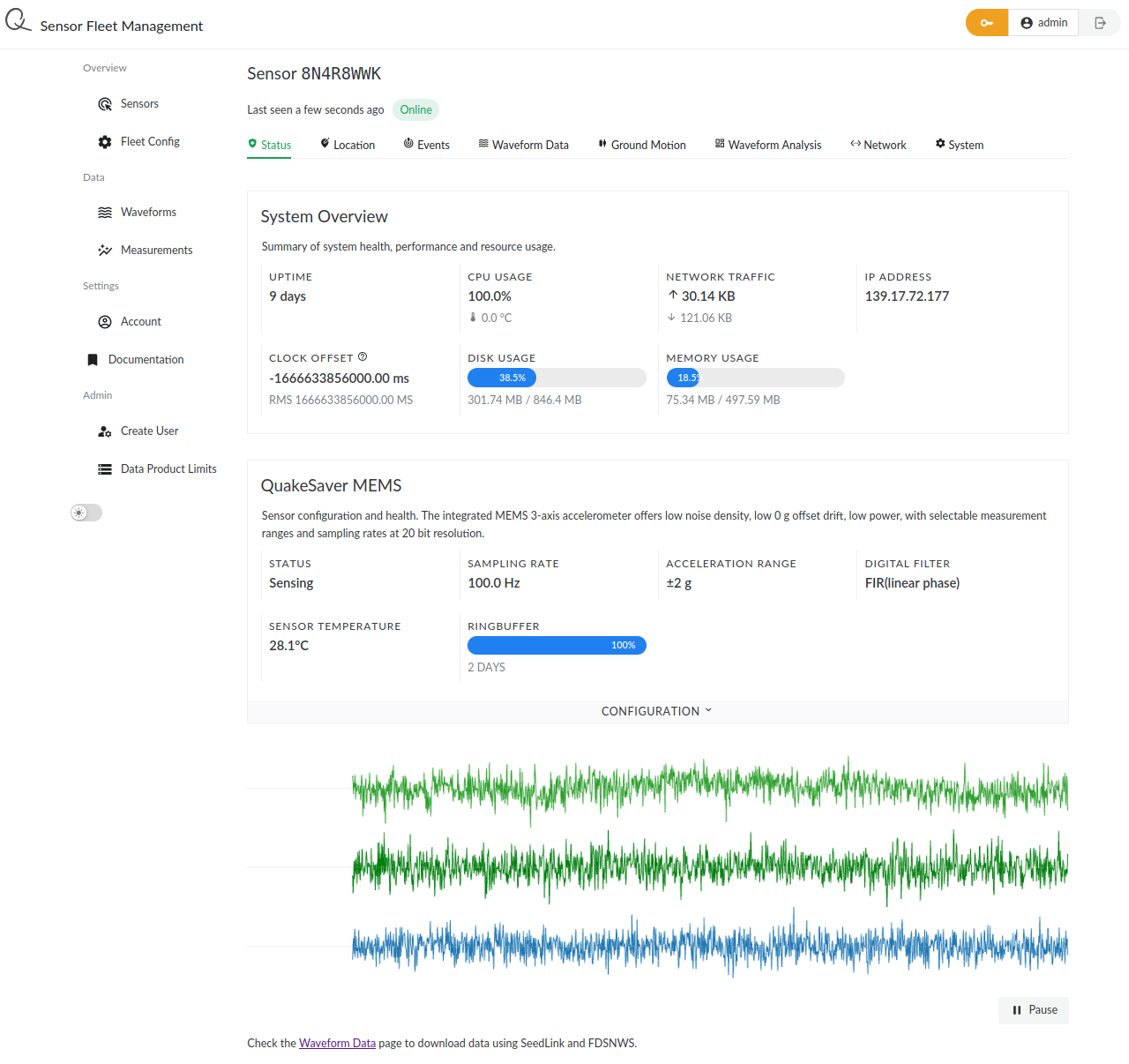
The horizontally aligned tabs Status, Location, Events, etc. show identical data to your local sensor settings page you saw before. You can configure your sensor, accordingly.
Waveform Download
SeedLink
Each SeismiQ sensor comes with a SeedLink server on board. You can stream your sensors' waveform data using this protocol in near real-time.
You need to enable the sensor's SeedLink server. Go to the Waveform Streaming tab of your sensor's details view and enable the SeedLink server from the CONFIGURATION menu.
After enabling seed link you will be able to access your device data e.g. using the ObsPy SeedLink client.
Upcoming Feature
Your device needs to be directly accessible e.g. by providing the client with a static IP address? We will release on-board Wireguard VPN functionality soon! Stay tuned 🌟
FDSN Webservice
For easy and highly efficient data aggregation of all your sensors' data use the FDSN Web Services.
Example using ObsPy
#!/bin/env python3
from obspy import UTCDateTime
from obspy.clients.fdsn import Client

client = Client('https://dev.quakesaver.net')

m = 60.  # seconds
tmax = UTCDateTime.now()
tmin = tmax - 5*m

st = client.get_waveforms("*", "*", "*", "*", tmin, tmax)
st.write('/tmp/quakesaver-sensors.mseed')
st.plot()
Virtual Networks
You can group your sensors into networks where each sensor can be a member of several networks. Go to Networks > Create New Network. Assign a Network Name and Network Code and click Create Network. To assign sensors to your newly created virtual network go to the Manager Network tab and find the sensor you want to add in the Add Sensor to Network menu.